
Gems: how it works
Gems cannot be transferred directly in Lords Mobile. That is why we sell them as items: you pick what you need in the game, and the seller hands it over to your account. The money is charged right away, but the seller receives it only after both sides confirm the deal.
For buyers
Three steps from the basket to items in the game.
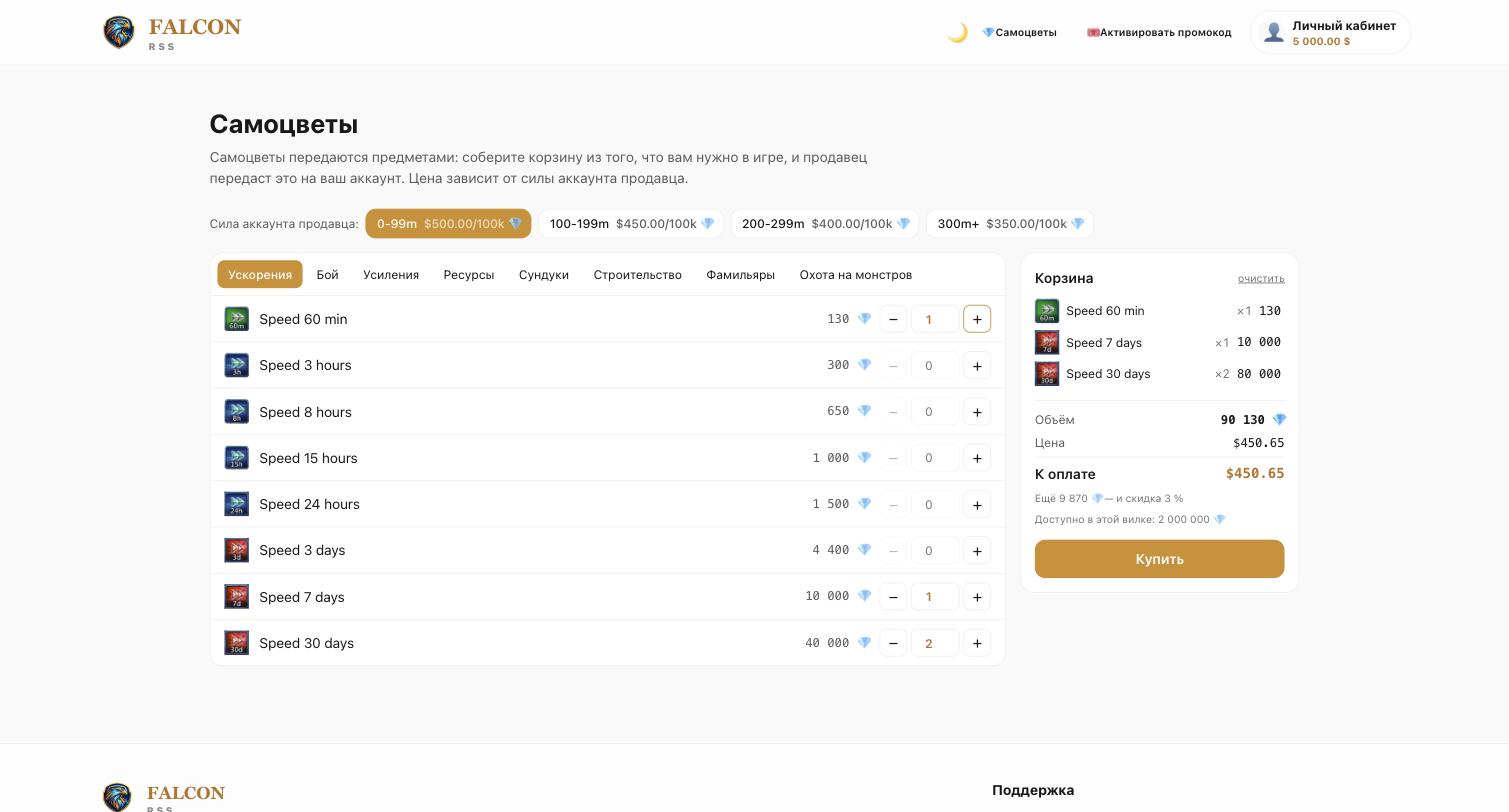
Step 1. Build the basket
Pick the seller might range — it sets the price per 100,000 gems. Then add items by category: the counter shows the gem volume and the amount right away. The bigger the volume, the larger the discount: the hint under the total tells you how far the next step is.
Step 2. Say where to deliver
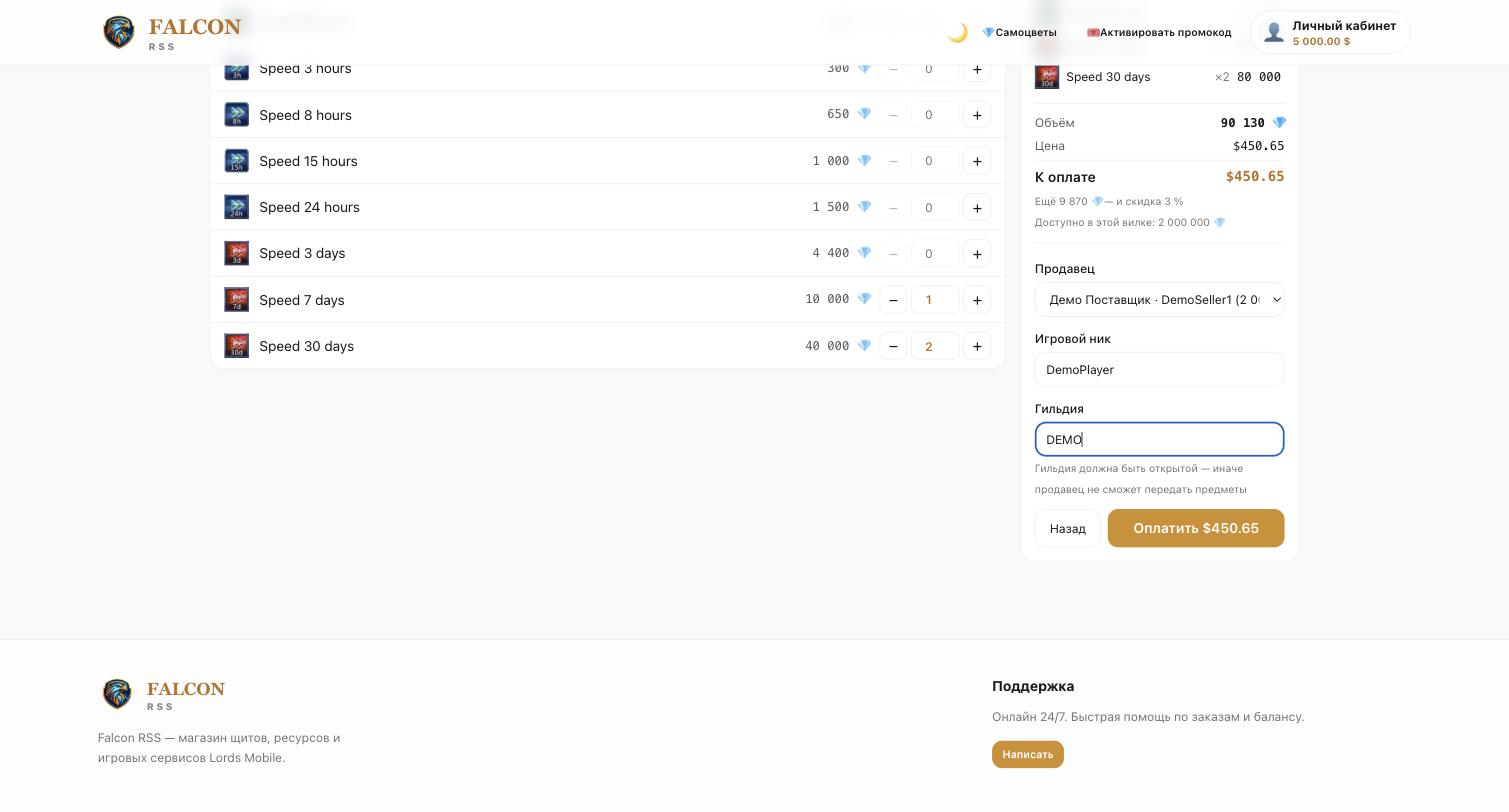
Press «Buy» and fill in your in-game nickname and guild. The guild must be open, otherwise the seller physically cannot hand the items over. If there are several sellers, pick one: the free stock is shown next to each name. The money is charged at checkout and held until the deal is closed.
Step 3. Confirm receipt
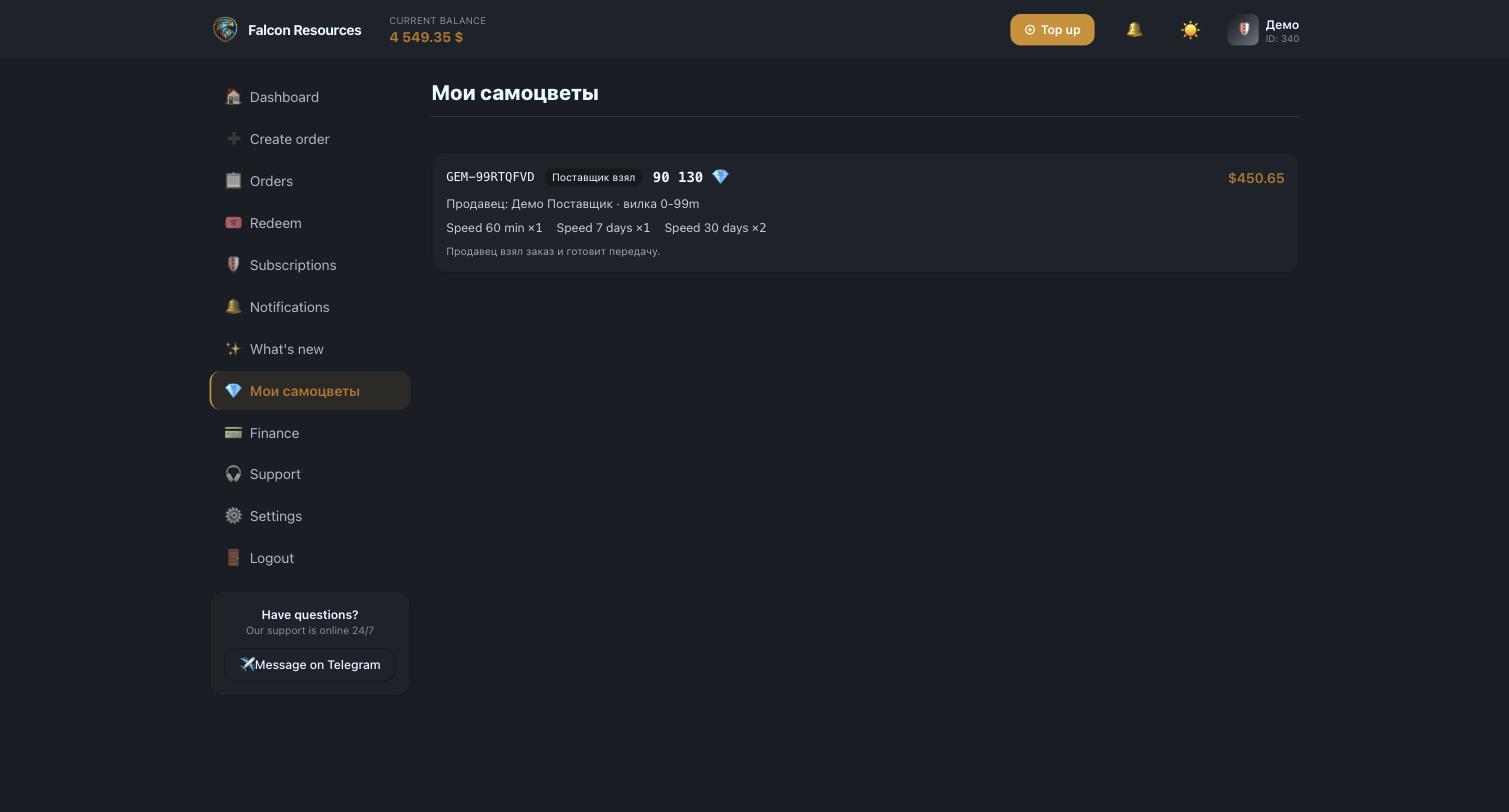
The order appears in «My gems». Once the seller hands the items over, they mark it, and a «Received» button shows up for you. Press it as soon as you check the game — that closes the deal and pays the seller.
For suppliers
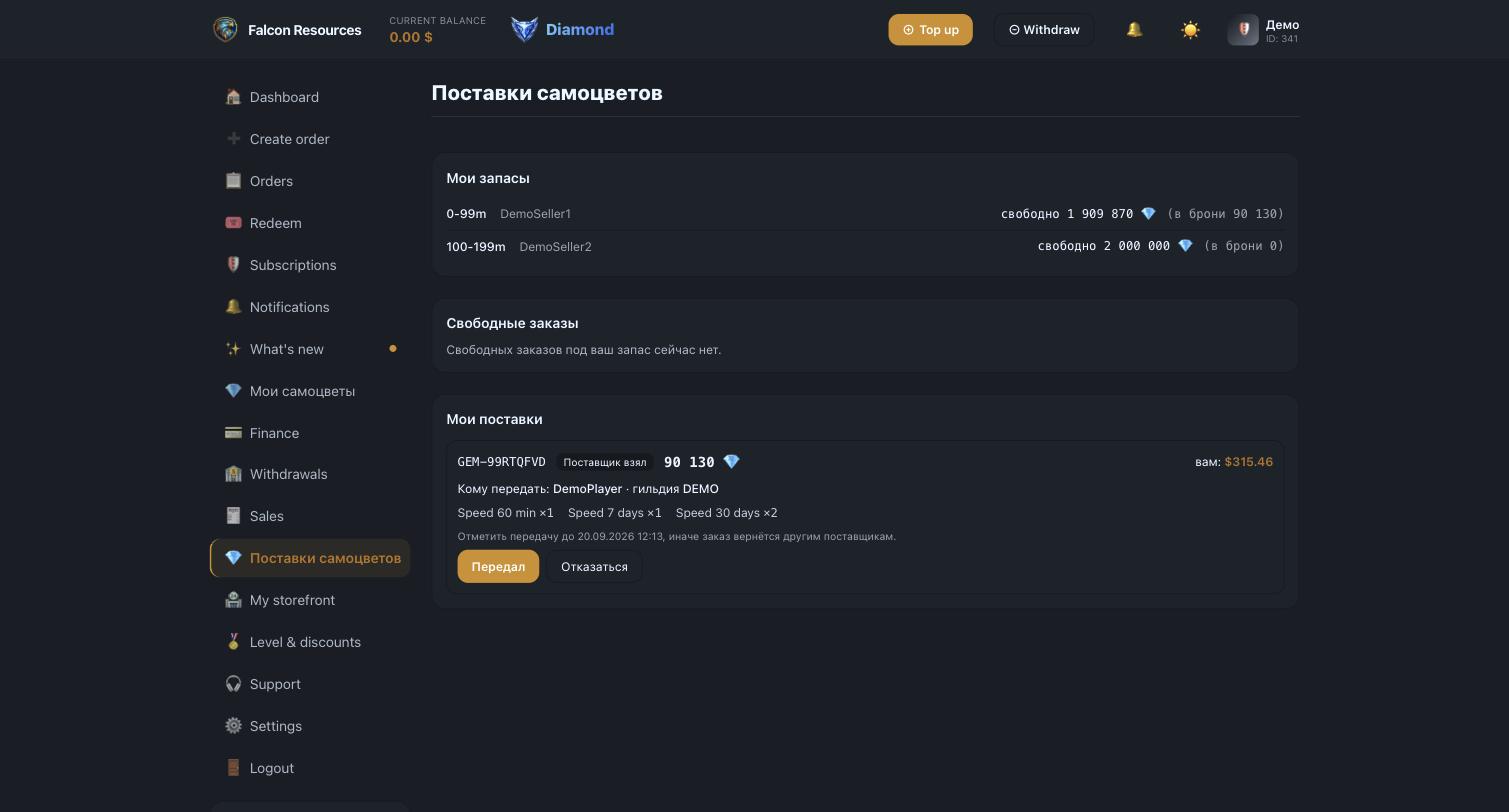
The «Gem supply» section appears for resellers who have a lot created by an administrator.
A lot is your stock in one might range: the might of your game account and how many gems you hold. The section shows three blocks: your stock (with free and reserved amounts), open orders you can take, and your current deliveries. When you take an order, your stock is reserved so the same amount does not go to a second buyer. Once the items are handed over in the game, press «Handed over». The money arrives after the buyer confirms.
If something goes wrong
- The seller ran out of gems
- They can decline the order with a reason. The order goes back to other suppliers; if you picked the seller yourself, the money is fully returned to your balance.
- The buyer does not press «Received»
- The order closes itself after a set time from the handover mark, and the seller gets paid. The buyer receives a reminder before that.
- Nobody took the order
- After the allotted time the order is cancelled and the money returns to the buyer in full. You can also cancel it yourself while nobody has taken it.
- The items never arrived
- Do not confirm receipt and contact support before the auto-confirmation deadline. We will review the order against the logs.